

Introduction
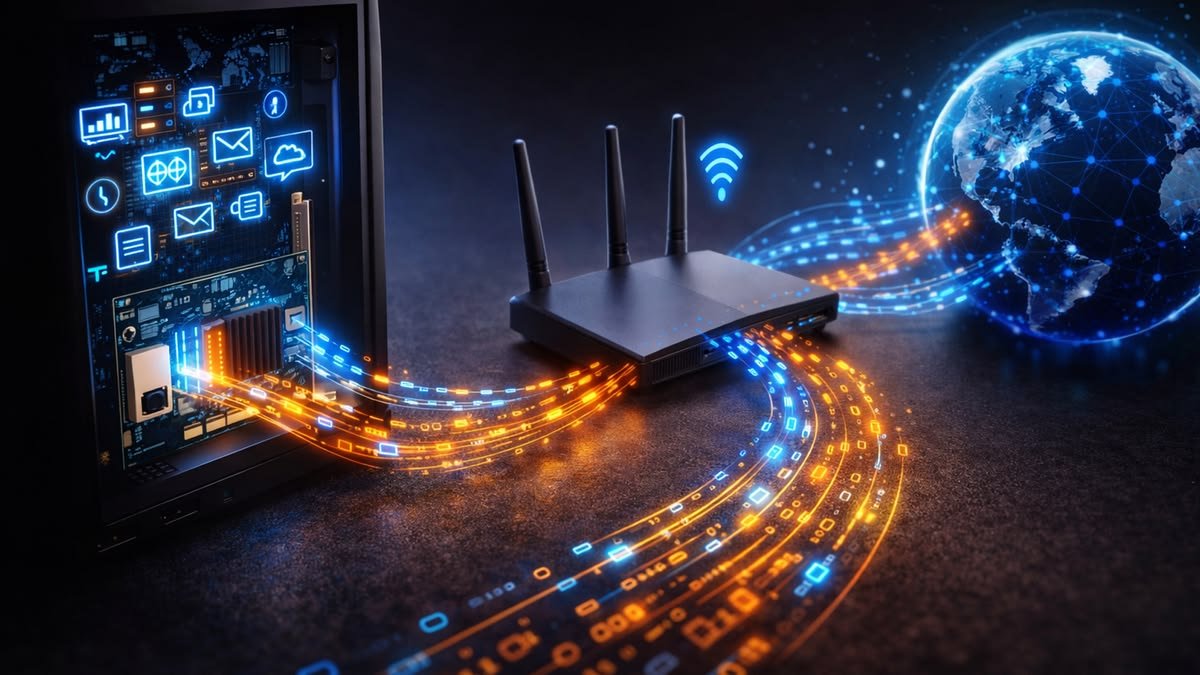
Wireless networking technology continues to evolve rapidly, providing faster internet speeds, lower latency, and improved performance for homes and businesses. As more devices connect to Wi-Fi networks, newer wireless standards are designed to handle increasing demand while delivering a smoother online experience. Wi-Fi 6 significantly improved network efficiency over previous generations, and now Wi-Fi 7 is introducing even greater performance with higher speeds, lower latency, and advanced connectivity features.
Whether you are upgrading your home network, purchasing a new router, or planning a smart home setup, understanding the differences between Wi-Fi 6 and Wi-Fi 7 can help you make the right decision. While both standards offer substantial improvements over older Wi-Fi technologies, they are designed for different performance requirements and future networking needs.
This guide compares Wi-Fi 6 and Wi-Fi 7, explains their features, advantages, limitations, and helps you determine which standard is best for your home or business.
What Is Wi-Fi?
Wi-Fi is a wireless networking technology that allows devices such as smartphones, laptops, tablets, smart TVs, gaming consoles, and smart home devices to connect to the internet without using physical cables.
Each new Wi-Fi generation introduces improvements in:
- Speed
- Network capacity
- Security
- Coverage
- Power efficiency
- Device management
What Is Wi-Fi 6?
Wi-Fi 6, officially known as IEEE 802.11ax, was developed to improve wireless performance in environments with many connected devices.
It focuses on:
- Higher efficiency
- Better performance in crowded networks
- Faster speeds
- Lower latency
- Improved battery life for compatible devices
Wi-Fi 6 works on both the 2.4 GHz and 5 GHz frequency bands.
What Is Wi-Fi 7?
Wi-Fi 7, officially known as IEEE 802.11be, is the next generation of wireless networking.
It builds upon Wi-Fi 6 by offering:
- Much higher maximum speeds
- Lower latency
- Better reliability
- Multi-Link Operation (MLO)
- Wider wireless channels
- Higher data capacity
Wi-Fi 7 supports 2.4 GHz, 5 GHz, and 6 GHz frequency bands (where available).
Wi-Fi 6 vs Wi-Fi 7 Comparison Table
| Feature | Wi-Fi 6 | Wi-Fi 7 |
|---|---|---|
| IEEE Standard | 802.11ax | 802.11be |
| Frequency Bands | 2.4 GHz, 5 GHz | 2.4 GHz, 5 GHz, 6 GHz |
| Maximum Channel Width | 160 MHz | 320 MHz |
| Maximum Theoretical Speed | Up to 9.6 Gbps | Up to 46 Gbps |
| Multi-Link Operation | No | Yes |
| Latency | Low | Extremely Low |
| Network Efficiency | Excellent | Outstanding |
| Best For | Most homes and offices | High-performance networking and future devices |
Speed Comparison
Wi-Fi 6
Wi-Fi 6 delivers significantly faster speeds than Wi-Fi 5.
Typical uses include:
- HD streaming
- 4K video
- Online gaming
- Video conferencing
- Smart home devices
Maximum theoretical speed:
Up to 9.6 Gbps
Wi-Fi 7
Wi-Fi 7 dramatically increases wireless performance.
Potential uses include:
- 8K streaming
- Cloud gaming
- Virtual Reality (VR)
- Augmented Reality (AR)
- AI-powered applications
- Large file transfers
Maximum theoretical speed:
Up to 46 Gbps
Frequency Bands
Wi-Fi 6
Supports:
- 2.4 GHz
- 5 GHz
These bands provide a balance between speed and coverage.
Wi-Fi 7
Supports:
- 2.4 GHz
- 5 GHz
- 6 GHz
The additional 6 GHz band offers:
- Less interference
- Higher speeds
- Lower latency
- More available channels
Channel Width
Channel width determines how much data can be transmitted simultaneously.
Wi-Fi 6
Maximum:
160 MHz
Wi-Fi 7
Maximum:
320 MHz
This doubles the available bandwidth, allowing significantly higher wireless throughput.
Multi-Link Operation (MLO)
One of Wi-Fi 7’s biggest innovations is Multi-Link Operation.
Instead of using only one wireless connection, devices can transmit data across multiple frequency bands simultaneously.
Benefits include:
- Faster downloads
- Lower latency
- Improved reliability
- Reduced network congestion
Wi-Fi 6 does not support this feature.
Latency Comparison
Latency measures the delay between sending and receiving data.
Wi-Fi 6
Provides excellent latency for:
- Video calls
- Gaming
- Streaming
Wi-Fi 7
Further reduces latency, making it ideal for:
- Competitive gaming
- VR applications
- Cloud computing
- Remote work
- Industrial automation
Performance in Crowded Networks
Modern homes often contain dozens of connected devices.
Examples include:
- Smartphones
- Laptops
- Tablets
- Smart TVs
- Security cameras
- Smart speakers
- Gaming consoles
- Smart appliances
Wi-Fi 6
Handles multiple devices efficiently using technologies like OFDMA and MU-MIMO.
Wi-Fi 7
Improves performance even further by combining wider channels, Multi-Link Operation, and higher bandwidth.
Security
Both standards support modern wireless security.
Wi-Fi 6
Supports:
- WPA3 encryption
- Secure authentication
- Improved privacy
Wi-Fi 7
Also supports WPA3 while improving compatibility with future security technologies.
Power Efficiency
Wi-Fi 6 introduced Target Wake Time (TWT).
This allows compatible devices to conserve battery power by scheduling communication with the router.
Wi-Fi 7 continues improving efficiency while focusing more on speed and capacity.
Device Compatibility
Wi-Fi 6
Compatible with:
- Older Wi-Fi devices
- Wi-Fi 5 devices
- Wi-Fi 4 devices
Newer Wi-Fi 6 devices receive the greatest performance improvements.
Wi-Fi 7
Maintains backward compatibility with older Wi-Fi standards.
However, full performance requires:
- Wi-Fi 7 router
- Wi-Fi 7 compatible devices
Best Uses for Wi-Fi 6
Wi-Fi 6 is an excellent choice for:
- Families
- Small businesses
- Remote workers
- Students
- Streaming services
- Online gaming
- Smart homes
For most households, Wi-Fi 6 provides more than enough performance.
Best Uses for Wi-Fi 7
Wi-Fi 7 is ideal for:
- Large homes
- Heavy internet users
- Professional content creators
- Competitive gamers
- Businesses
- AI workloads
- 8K streaming
- Virtual Reality
- Cloud gaming
It is designed for demanding future applications.
Advantages of Wi-Fi 6
- Faster than Wi-Fi 5
- Better battery efficiency
- Excellent device capacity
- Reliable performance
- Strong security
- Affordable routers
Advantages of Wi-Fi 7
- Extremely fast speeds
- Ultra-low latency
- Multi-Link Operation
- Wider channels
- Better future compatibility
- Improved network stability
- Excellent for high-bandwidth applications
Limitations of Wi-Fi 6
- Lower maximum speed than Wi-Fi 7
- No Multi-Link Operation
- Limited to 160 MHz channels
Limitations of Wi-Fi 7
- Higher router prices
- Fewer compatible devices currently available
- Maximum performance requires modern hardware
Should You Upgrade?
Consider upgrading to Wi-Fi 7 if:
- You purchase new networking equipment.
- You have many connected devices.
- You frequently transfer large files.
- You use cloud gaming.
- You stream 8K content.
- You want a future-ready network.
If your existing Wi-Fi 6 network performs well, upgrading may not be immediately necessary.
Future of Wireless Networking
Wireless networking will continue advancing through:
- Faster internet speeds
- AI-powered network optimization
- Improved smart home support
- Lower latency
- Better security
- Expanded cloud computing
- Increased IoT connectivity
- More efficient spectrum usage
Wi-Fi 7 represents a major step toward supporting these future technologies.
Frequently Asked Questions
Is Wi-Fi 7 faster than Wi-Fi 6?
Yes. Wi-Fi 7 offers a much higher theoretical maximum speed and introduces features such as Multi-Link Operation and 320 MHz channels for improved performance.
Can Wi-Fi 6 devices connect to a Wi-Fi 7 router?
Yes. Wi-Fi 7 is backward compatible with earlier Wi-Fi standards, including Wi-Fi 6.
Do I need Wi-Fi 7?
If your current Wi-Fi 6 network meets your needs, upgrading is not essential. Wi-Fi 7 is most beneficial for users with demanding workloads, many connected devices, or plans to adopt future technologies.
Is Wi-Fi 7 better for gaming?
Yes. Wi-Fi 7’s lower latency and higher bandwidth make it an excellent choice for online gaming and cloud gaming.
Which is better for most homes?
Wi-Fi 6 remains an excellent option for most households, while Wi-Fi 7 is better suited for users seeking maximum performance and long-term future compatibility.
Conclusion
Wi-Fi 6 and Wi-Fi 7 are both powerful wireless networking standards that offer significant improvements over older Wi-Fi technologies. Wi-Fi 6 provides fast speeds, efficient device management, enhanced security, and excellent performance for most homes and businesses. Wi-Fi 7 builds on these strengths with dramatically higher speeds, lower latency, wider channels, and innovative features like Multi-Link Operation, making it ideal for next-generation applications such as 8K streaming, cloud gaming, virtual reality, and advanced smart homes. Choosing between the two depends on your current devices, internet usage, budget, and future networking needs. For most users, Wi-Fi 6 remains a reliable and cost-effective choice, while Wi-Fi 7 offers the best performance for those looking to build a future-ready network.




Leave a Reply